Fast, local Markdown editor. No account.
MarkPad++ is a small Markdown editor for Windows. It opens instantly, works entirely offline, and never asks you to sign in to read your own notes.
Watch the page render beside the source with Ctrl+Shift+E, or press Ctrl+E to read it full width. Your place is kept either way — and so is your unsaved work, even after a crash.
Free · Windows 10 version 1809 or newer · five interface languages · no telemetry
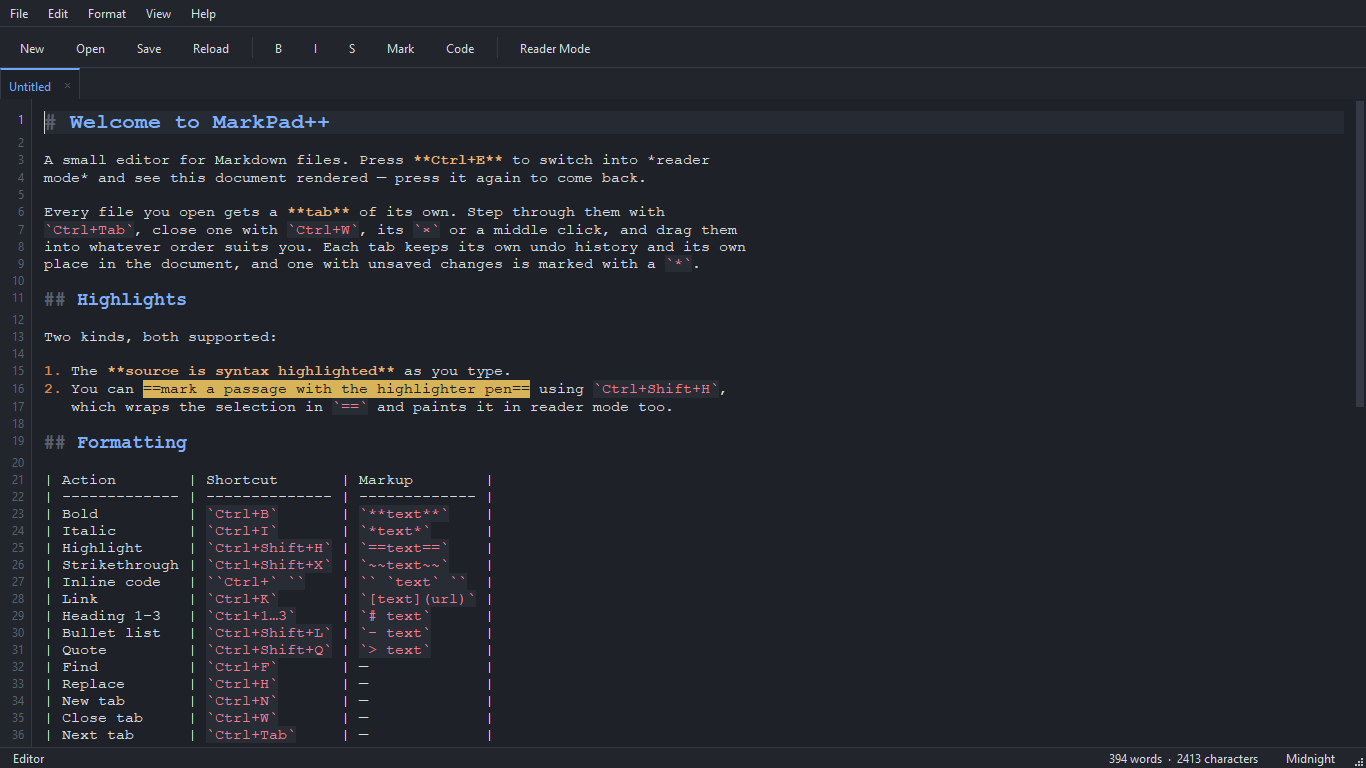
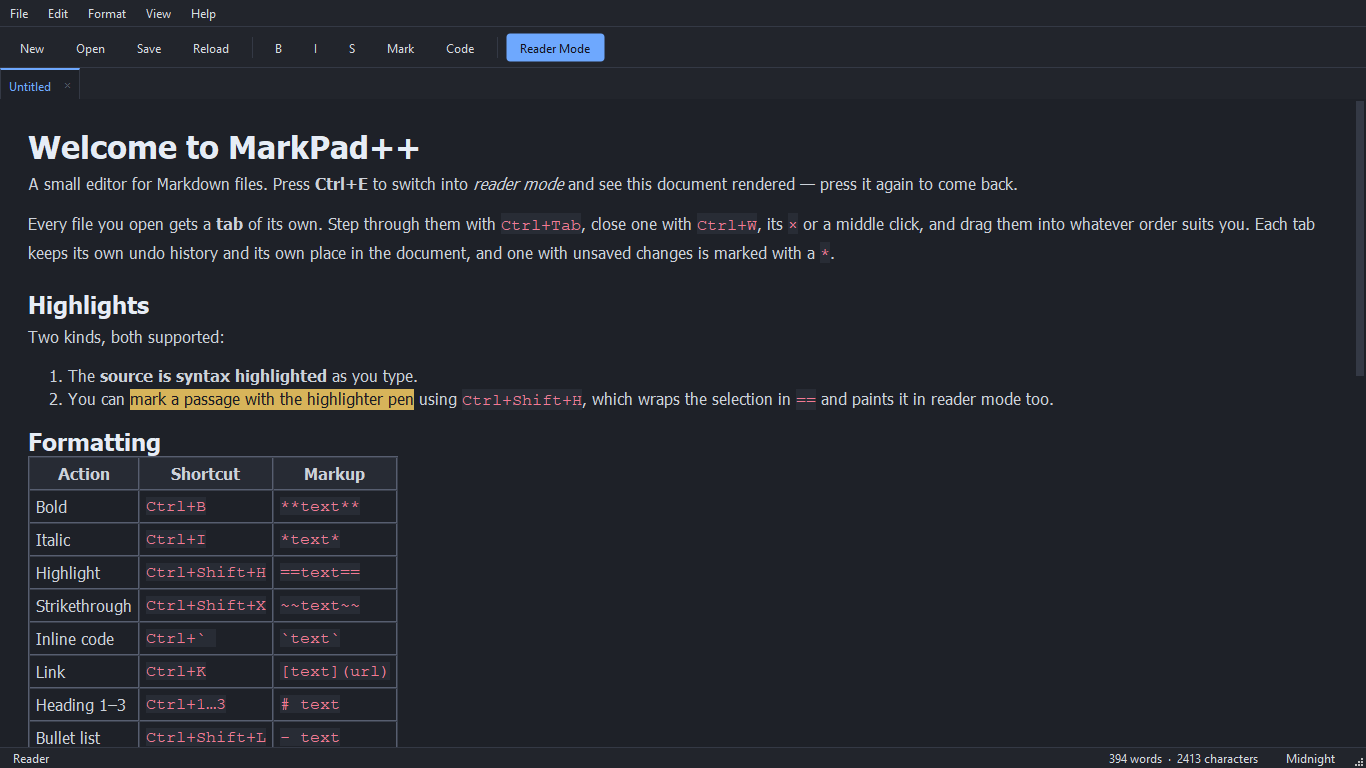 SourceCtrl+EReader
Live preview
Write on the left. Read it on the right.
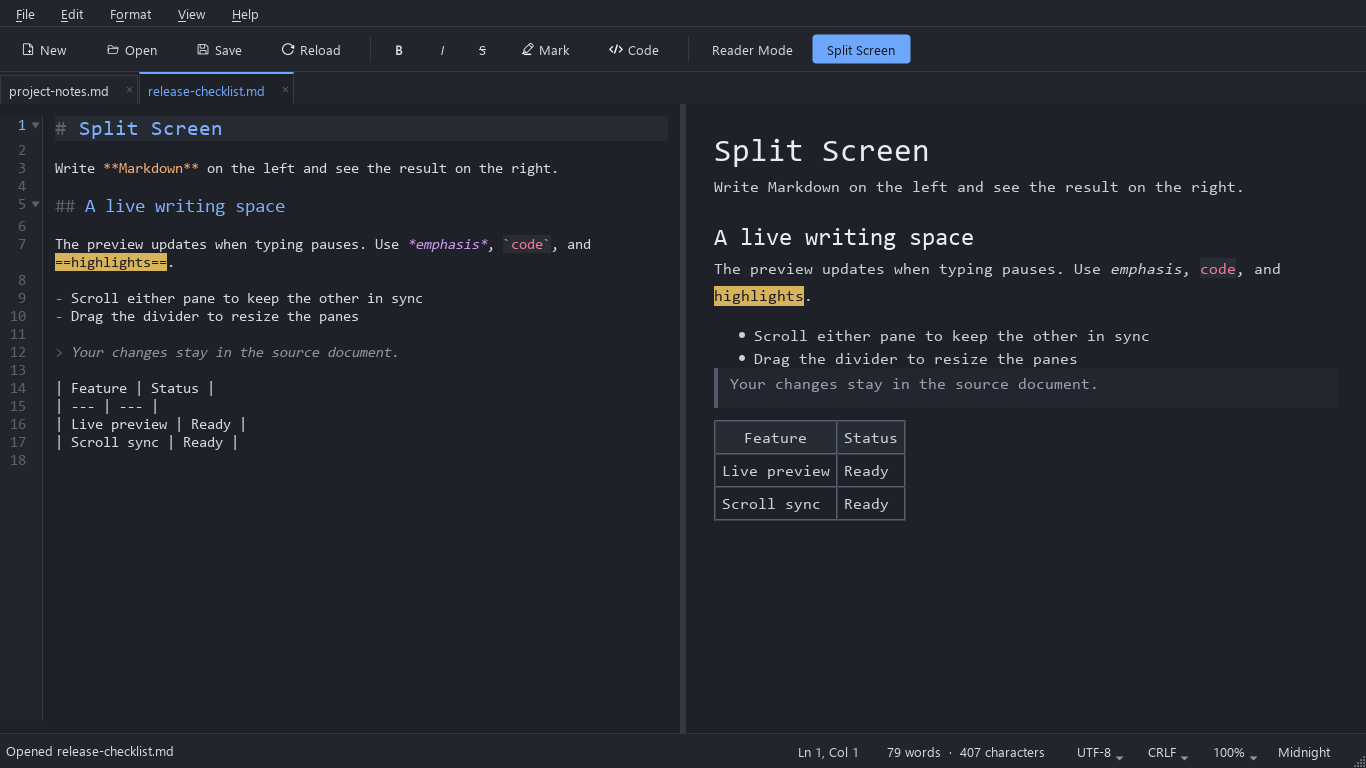
Split Screen puts the Markdown source and a live preview side by side. Turn it on from View › Split Screen, the toolbar, or Ctrl+Shift+E.
The preview catches up as soon as you pause typing, scrolling either pane keeps the other on the same passage, and the divider remembers where you left it. Find and replace keep working on the source.
What it does
Everything a Markdown file needs, and nothing it doesn't.
Each tab keeps its own text, undo history, caret and place. Pin the ones you live in, bring back a closed one with Ctrl+Shift+T, and find every tab where you left it on the next start.
Ctrl+Shift+E opens a live preview beside the source. It updates when you pause, both panes scroll together, and the divider stays where you drag it.
Ctrl+E gives the rendered page the whole window. It opens at whatever the editor was showing, scrolling it moves the editor to match, and Ctrl+F searches the rendered text.
Unsaved text, Untitled tabs included, is kept as a recovery draft every few seconds and offered back after a crash. Saving is atomic, and the previous version is kept as a backup.
Ctrl+Shift+O lists the headings as a tree; click one to jump there. Fold sections and code blocks from the gutter, and Ctrl+G goes straight to a line.
All matches light up at once, with case, whole-word and regular-expression matching and a search limited to the selection. Ctrl+Shift+F lists every hit in every open tab.
Ctrl+Shift+H wraps the selection in ==marks== and paints the passage in the editor and in the rendered page alike.
Format › Table inserts a table, lines up its columns and adds or removes rows. Paste a screenshot and it is saved beside the document and linked for you.
Write the rendered document out as .pdf, .docx, .odt or a standalone .html page — formatting, tables, links and images included, Markdown punctuation left behind.
One theme drives the editor, the chrome, the rendered page and the native Windows title bar. Switch from View › Theme and nothing is left behind.
Ctrl+, sets the font, a colour for each Markdown element, wrapping and line numbers, with a live preview, or swaps the scrollbar for a minimap. Any menu shortcut can be reassigned.
The interface is in English, Ukrainian, French, Spanish and Portuguese (Brazil). It follows Windows, or pick one in Editor Settings › General and it changes on the spot.
Shortcuts
Formatting, toggled.
Applying a format a second time removes it again, and heading shortcuts replace the level rather than stacking onto it. Every shortcut can be changed, and the full list — tabs, find, navigation — is on the docs page.
| Action | Shortcut | Markup |
|---|---|---|
| Bold | Ctrl+B | **text** |
| Italic | Ctrl+I | *text* |
| Highlight | Ctrl+Shift+H | ==text== |
| Strikethrough | Ctrl+Shift+X | ~~text~~ |
| Inline code | Ctrl+` | `text` |
| Link | Ctrl+K | [text](url) |
| Heading 1–3 | Ctrl+1…3 | # text |
| Reader mode | Ctrl+E | — |
| Split Screen | Ctrl+Shift+E | — |
New in 1.0.5
Never lose work
- Recovery drafts of unsaved documents, Untitled tabs included, offered back after a crash.
- The files open at exit come back on the next launch, in order, each at its caret and scroll position.
- Atomic saving, a backup of the previous version, and a question before overwriting a file another program changed.
Find your way
- An Outline panel (Ctrl+Shift+O), folding of sections and code blocks, and Go to Line (Ctrl+G).
- Find in reader mode, regular expressions, search in the selection, and Find in All Tabs (Ctrl+Shift+F).
- Zoom for the editor and the reader, and a status bar with position, encoding and line endings.
Write faster
- Enter continues lists, task lists and quotes.
- Paste or drop pictures to save and link them; table tools in Format › Table.
- Pinned tabs, Reopen Closed Tab, Save All, Rename File; duplicate and move lines, change case.
- Customizable keyboard shortcuts, and settings export and import.
Markdown and languages
- Footnotes, reference-style links and a [TOC] table of contents.
- Export to a standalone web page (.html).
- Ukrainian, French, Spanish and Portuguese (Brazil) interface that switches without a restart.
From the blog
All articles →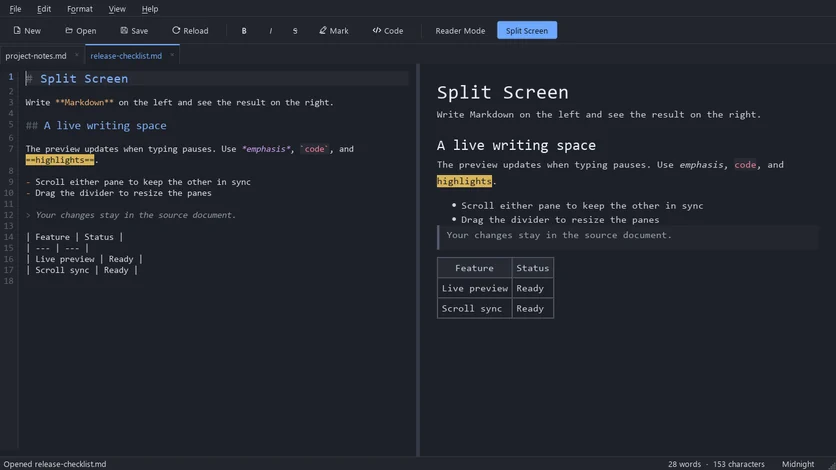
Write Markdown on the left and watch it render on the right. MarkPad++ 1.0.4 adds Split Screen: a free, offline live preview for Windows with synced scrolling.
Learn how to open, read, and edit .md files on Windows with MarkPad++, then set it as your default Markdown app for easy access.
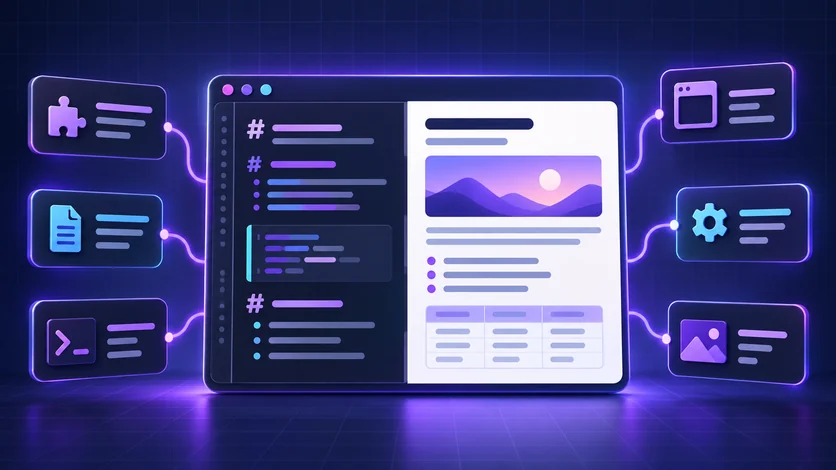
Looking for a Notepad++ Markdown preview? Explore MarkPad++, Markdown Panel, VS Code, and Typora to find a comfortable way to read and edit .md files.
Questions
Common questions
Does MarkPad++ have a live preview?
Yes. View › Split Screen, or Ctrl+Shift+E, shows the Markdown source on the left and a live preview on the right. The preview updates when you pause typing, and scrolling either pane moves the other to match. Ctrl+E switches to a full-width reader instead.
Is MarkPad++ free?
Yes, entirely. There is no trial, no subscription, no in-app purchase and no advertising.
Does it need an account or an internet connection?
No to both. MarkPad++ works entirely offline, never asks you to sign in, and sends no telemetry.
What happens to unsaved work if the app or Windows crashes?
MarkPad++ keeps every unsaved document, Untitled tabs included, as a recovery draft every few seconds, and offers to recover it on the next launch. Saving is atomic, so a crash or a full disk cannot leave a half-written file, and the previous version is kept as a backup.
Can it export Markdown to PDF, Word or HTML?
Yes. File › Export writes the rendered document as PDF, Microsoft Word (.docx), OpenDocument Text (.odt) or a standalone web page (.html). Word does not need to be installed.
Which languages is the interface available in?
English, Ukrainian, French, Spanish and Portuguese (Brazil). MarkPad++ follows the Windows display language, and Edit › Editor Settings › General switches it at once, without a restart.
Can I change the editor font, colours and shortcuts?
Yes. Edit › Editor Settings (Ctrl+,) sets the font, text and background colours, a colour for each Markdown element, word wrap, line numbers and tab width, and can replace the scrollbar with a minimap. Edit › Keyboard Shortcuts reassigns the shortcut of any menu command.
Which versions of Windows does it run on?
Windows 10 version 1809 or newer and Windows 11, on x64. There is no macOS, Linux or web version.