How-to
Convert Markdown to PDF or Word Offline on Windows
Convert Markdown to PDF or Word offline with MarkPad++. Export formatted .md files locally, with no uploads or Microsoft Word installation required.
“Could you send that as a Word document?”
You have just finished writing a proposal in Markdown. The headings are in place, the wording is right, and you are ready to share it. Then comes the request for another format. Or perhaps it is a PDF this time, ready to attach to an email.
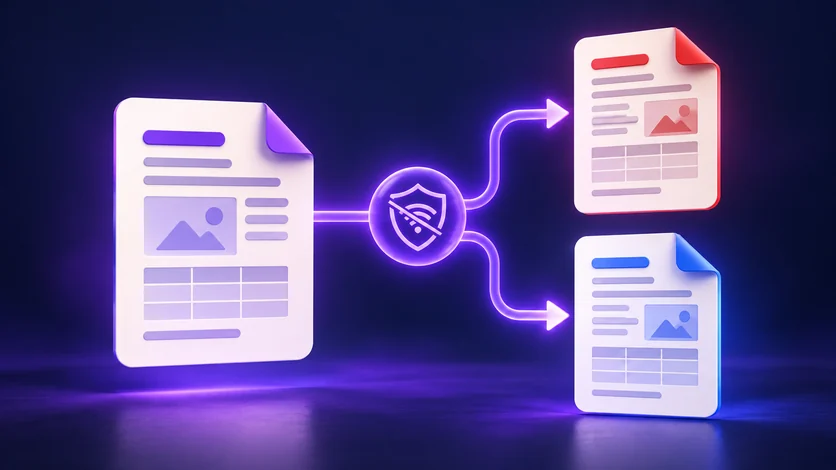
MarkPad++ lets you convert Markdown to PDF or Word right inside the app, entirely offline. You can finish the writing and create the file someone needs without hunting for a separate converter.
From your draft to their inbox
Imagine a short project proposal: a few headings, a list of next steps, a budget table, and an illustration. Markdown makes it easy to keep revising the text. When it is ready, MarkPad++ can carry that structure into a document you can share.
Choose PDF when you want someone to read or print it with the page layout fixed. Choose Word (.docx) when a colleague needs to edit the text and work on the next draft.
Both come from the same Markdown file. You could send the PDF to a client and the Word copy to a teammate, while keeping your original .md document for future updates. The exported copies are separate files; changes made to them do not flow back into your Markdown.
That is the useful part of having export built into your editor: writing and delivery become two steps in the same routine.
How to convert Markdown to PDF or Word
With MarkPad++ (version 1.0.3 or newer) installed, the process is short:
- Open your Markdown file with Ctrl+O, or drag it onto the app window.
- Choose File > Export, then select PDF Document or Word Document from the file-type dropdown.
- Pick a filename and folder, then save.
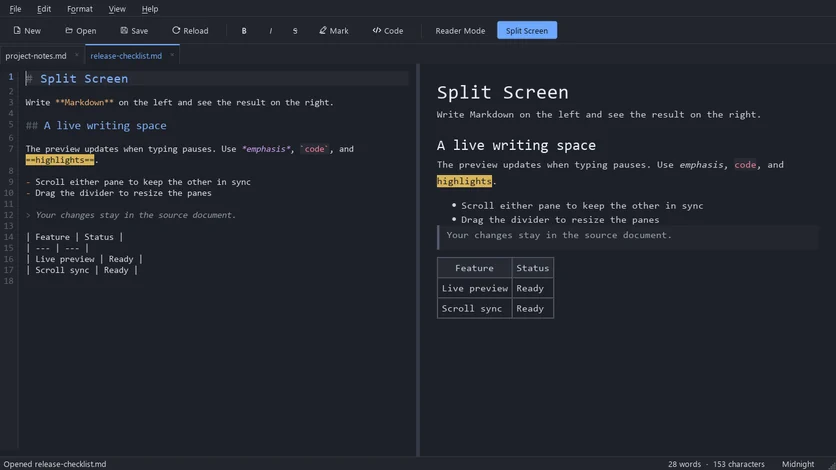
If you want a look at the formatting first, press Ctrl+E to read your draft in reader mode, or Ctrl+Shift+E to see it beside the source. Export always writes the whole rendered document, whichever view you are in.
The dropdown offers four formats:
| Format | Extension | Choose it when |
|---|---|---|
.pdf | The page layout should stay fixed, for reading or printing | |
| Microsoft Word | .docx | Someone needs to edit the text. Word does not have to be installed to create the file |
| OpenDocument Text | .odt | Your team works in LibreOffice or another OpenDocument editor |
| Web page | .html | The document should open in any browser, or go on a website. Added in version 1.0.5 |
The export includes formatted content such as headings, bold text, lists, tables, links, and local images. Your carefully arranged notes can become a document someone else can read without knowing any Markdown.
There is a nice detail for anyone who writes in dark mode: exported documents use a light theme suitable for printing. You can keep your preferred editing background while producing a page that works on paper.
And you do not need Microsoft Word installed to create a DOCX file. MarkPad++ generates it directly. The person receiving it can open it in Word or another compatible editor.
If your team prefers OpenDocument, the same export menu also offers .odt, and since version 1.0.5 a standalone web page (.html) as well.
Why offline makes a difference
Picture finishing a document on a train, just as the Wi-Fi disappears. With the app installed and your files saved locally, exporting still works. The conversion happens on your computer.
The same applies at your desk. A proposal, an internal report, or a set of personal notes can go from Markdown to PDF or Word without being sent to an online conversion service. Choose a local folder outside cloud sync if you also want the saved output to stay on that computer.
For documents with pictures, make sure those pictures are available locally too. If your Markdown file came with an images folder, keep them together in the same arrangement. Web image links need local copies and updated references for a fully offline export.
A quick check before you send
Open the exported file and give it the same quick read you would any attachment. Look at the table, check the pictures, and see where the pages break. Word documents can wrap differently depending on the editor and fonts, so this small check is useful when layout matters.
Remember to save your Markdown draft with Ctrl+S, too. Export includes your latest edits, but saving the exported copy does not save changes back to the original .md file.
After that, your document is ready for its next reader. You can keep the Markdown version you enjoy writing in, and your colleague gets the Word file or PDF they asked for.
Try MarkPad++ with a draft you have already written. File > Export is all it takes to give that draft another format.
Try it yourself
MarkPad++ is a free, offline Markdown editor for Windows 10 and 11. A live preview beside your text, no account, no telemetry, and export to PDF, Word and OpenDocument built in.
Written in Markdown, of course — read this article as a .md file.